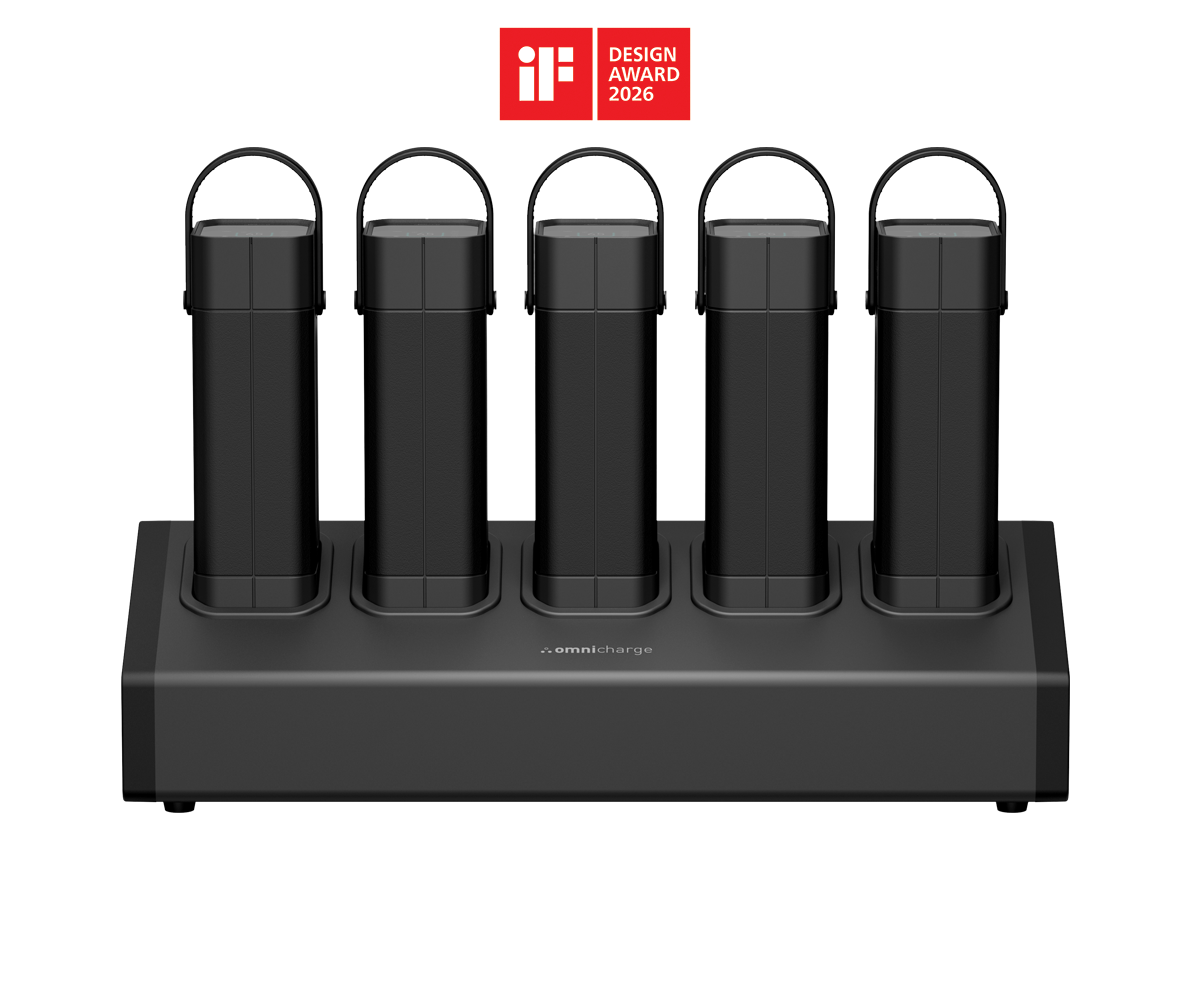
Omni Power Stations

One outlet.
A whole room powered.

Portable power stations that turn a single wall socket into a fleet of chargers for classrooms, meeting rooms and shared spaces. No rewiring, no extension cords, no fighting over outlets.

3 to 8bays per station
< 4 hrsto recharge a full set
2 yrwarranty on every station
Omni Power Station 40+ with six Omni Power 40+ units docked
Start with your space

Which room are you powering?

Pick the environment and we will narrow the lineup for you. You can still browse everything below.

All power stations

The full lineup

Every station ships with its power units, a lock where applicable, and a two-year warranty. Prices are per complete station.

Space
Needs
NewK-12
Omni Locker Station 10E 6-Bay, USB-C and USB-A

Omni Locker Station 10E

6-Bay, USB-C and USB-A
£1,299.00per station
6bays
62.7Wh / unit
1xlaptop
65W USB-C cable20W USB-C18W USB-A

Best for: Chromebooks, tablets and phones in K-12 classrooms.

Best seller
Omni Power Station 20+ 7-Bay, with AC outlet

Omni Power Station 20+

7-Bay, with AC outlet
£3,194.00per station
7bays
71Wh / unit
1xlaptop
100W AC60W USB-C2x 18W USB-A100W DC10W wireless

Best for: The default for open offices, cafeterias and common areas.

Omni Power Station 20C+ 7-Bay, USB-C first

Omni Power Station 20C+

7-Bay, USB-C first
£3,499.00per station
7bays
71Wh / unit
1xlaptop
2x 60W USB-C2x 18W USB-A100W DC10W wireless

Best for: Hybrid offices and meeting rooms with USB-C laptops.

Most bays
Omni Power Station 30C+ 8-Bay, wireless pads

Omni Power Station 30C+

8-Bay, wireless pads
£4,299.00per station
8bays
94Wh / unit
1.3xlaptop
100W USB-C45W USB-C2x 18W USB-A100W DC3 wireless pads

Best for: Conference rooms and cafeterias: the most units per outlet.

Flagship
Omni Power Station 40+ 6-Bay, with AC outlet

Omni Power Station 40+

6-Bay, with AC outlet
£3,999.00per station
6bays
142Wh / unit
2xlaptop
100W AC100W USB-C2x 18W USB-A100W DC

Best for: Boardrooms, AV carts and anything that still plugs into a wall.

Flagship
Omni Power Station 40C+ 6-Bay, USB-C, HDMI and SD

Omni Power Station 40C+

6-Bay, USB-C, HDMI and SD
£4,299.00per station
6bays
142Wh / unit
2xlaptop
2x 100W USB-C2x 30W USB-C2x 18W USB-A100W DCHDMI 4KSD reader

Best for: Creators and presenters: screen mirroring and card offload on the go.

Max capacity
Omni Power Station 80C+ 3-Bay, highest capacity

Omni Power Station 80C+

3-Bay, highest capacity
£4,299.00per station
3bays
289Wh / unit
4xlaptop
250W AC100W USB-C18W USB-AHDMI

Best for: Small event kits and field teams that need all-day laptop power.

Max capacity
Omni Power Station 80C+ 3-Bay, highest capacity

Omni Power Station 80C+

3-Bay, highest capacity
£4,299.00per station
3bays
289Wh / unit
4xlaptop
250W AC100W USB-C18W USB-AHDMI

Best for: Small event kits and field teams that need all-day laptop power.

Max capacity
Omni Power Station 80C+ 5-Bay, highest capacity

Omni Power Station 80C+

5-Bay, highest capacity
Price on requestper station
5bays
289Wh / unit
4xlaptop
250W AC100W USB-C18W USB-AHDMI

Best for: All-day events, conference rooms and power-hungry AV setups.

Max capacity
Omni Power Station 80C+ 5-Bay, highest capacity

Omni Power Station 80C+

5-Bay, highest capacity
£5,999.00per station
5bays
289Wh / unit
4xlaptop
250W AC100W USB-C18W USB-AHDMI

Best for: All-day events, conference rooms and power-hungry AV setups.

0 selected Compare
Side by side

Compare the lineup

Tick "Compare" on any card above to narrow this table, or scroll the full set.

All modelsLocker Station 10E6-Bay, USB-C and USB-APower Station 20+7-Bay, with AC outletPower Station 20C+7-Bay, USB-C firstPower Station 30C+8-Bay, wireless padsPower Station 40+6-Bay, with AC outletPower Station 40C+6-Bay, USB-C, HDMI and SDPower Station 80C+3-Bay, highest capacityPower Station 80C+3-Bay, highest capacityPower Station 80C+5-Bay, highest capacityPower Station 80C+5-Bay, highest capacity
Price per station£1,299.00£3,194.00£3,499.00£4,299.00£3,999.00£4,299.00£4,299.00£4,299.00£5,999.00
Bays6778663355
Capacity per unit62.7 Wh71 Wh71 Wh94 Wh142 Wh142 Wh289 Wh289 Wh289 Wh289 Wh
AC outlet100W100W250W250W250W250W
USB-C65W (built-in cable) + 20W60W2x 60W100W + 45W100W2x 100W + 2x 30W100W100W100W100W
USB-A18W2x 18W2x 18W2x 18W2x 18W2x 18W18W18W18W18W
DC out100W100W100W100W100W
Wireless charging10W pad10W pad3 pads (10W / 5W / 3W)
13" laptop charges1x1x1x1.3x2x2x4x4x4x4x
Smartphone charges4x4x4x4x8x8x16x16x16x16x
Full recharge5-6 hrs< 4 hrs< 4 hrs3 hrs< 4 hrs3-4 hrs4-6 hrs4-6 hrs4-6 hrs4-6 hrs
Station weight4.03 lbs (1.83 kg)22 lbs (9.98 kg)20.79 lbs (9.43 kg)26.0 lbs (11.8 kg)26.6 lbs (12.07 kg)26.6 lbs (12.07 kg)22.95 lbs (10.42 kg)22.95 lbs (10.42 kg)38.66 lbs (17.55 kg)38.66 lbs (17.55 kg)
Dimensions21.85 x 6.61 x 2.99 in555 x 168 x 76 mm15.20 x 7.05 x 9.84 in386 x 179 x 250 mm15.20 x 7.05 x 9.84 in386 x 179 x 250 mm19.1 x 7.2 x 12 in486 x 184 x 304 mm19.1 x 7.2 x 13.2 in486 x 184 x 335 mm19.1 x 7.2 x 13.2 in486 x 184 x 335 mm13.93 x 7.56 x 13.39 in354 x 192 x 340 mm13.93 x 7.56 x 13.39 in354 x 192 x 340 mm21.93 x 7.56 x 13.39 in557 x 192 x 340 mm21.93 x 7.56 x 13.39 in557 x 192 x 340 mm
ExtrasMechanical lockUSB Hub3 x Wireless ChargingUSB HubUSB Hub + HDMIHDMIHDMIHDMIHDMI
Best forChromebooks, tablets and phones in K-12 classrooms.The default for open offices, cafeterias and common areas.Hybrid offices and meeting rooms with USB-C laptops.Conference rooms and cafeterias: the most units per outlet.Boardrooms, AV carts and anything that still plugs into a wall.Creators and presenters: screen mirroring and card offload on the go.Small event kits and field teams that need all-day laptop power.Small event kits and field teams that need all-day laptop power.All-day events, conference rooms and power-hungry AV setups.All-day events, conference rooms and power-hungry AV setups.
ViewViewViewViewViewViewViewViewViewView

Charge counts are per power unit and based on typical device batteries. Capacity figures are nominal (plus or minus 5 percent).

Sizing your deployment

How many do you need?

A simple rule of thumb from hundreds of deployments. Not sure? We will size it with you on a 20-minute call.

Step 1

Count the people, not the outlets

Plan on one Power Station for roughly every 25 people who use the space in a day.

Step 2

Match the device

Phones, tablets and Chromebooks: 20 series or Locker Station. Laptops all day: 30C+, 40 series or 80C+.

Step 3

Decide on AC vs USB-C

The "+" models add a 100W AC outlet for legacy chargers. The "C+" models trade it for more USB-C ports and wireless pads.

Step 4

Place it where people gather

Reception, cafeteria, the classroom door. Stations only need one outlet and a stable, ventilated surface.

In the field

Running in offices and campuses today

Omnicharge provides WeWork employees the opportunity to work wherever they are most productive, whether or not there is an outlet nearby.

Heather MillerCommunity Lead, WeWork

We finally have versatile mobile charging with multiple options for students who move across campus all day.

Jerrid FreemanVP for Student Affairs, Northeastern State University

Pop-up workstations and event setups became simple, and the emergency unplugging incidents stopped.

Megan PhaupMultimedia Services Manager, Capital One

No more cable hazards in our conference rooms, and every attendee has several charging options at the seat.

Christina LoaizaSenior Facilities Manager, PepsiCo
Before you order

Common questions

Which model is right for my space?

Classrooms usually run on the Locker Station or the 20 series. Offices and meeting rooms lean on the 40 series. Common areas and cafeterias do well with the 20+ or 30C+. Use the space filters above or book a call and we will size it for you.

What is the difference between "+" and "C+" models?

"+" models include a 100W AC outlet on every unit, so any wall charger works. "C+" models remove the AC outlet in favour of extra USB-C ports and, on the 20C+ and 30C+, wireless charging pads.

How long does a full recharge take?

A full set of units recharges in roughly 3 to 4 hours on the 20, 30 and 40 series and 4 to 6 hours on the 80C+ and Locker Station 10E. Stations charge every bay at once.

How many laptop charges does one unit give?

About one full charge of a 13" laptop on the 20 series and Locker units, 1.3 on the 30C+, two on the 40 series and four on the 80C+.

What does the station need from the building?

One standard outlet (100 to 240V input) and a stable, ventilated surface away from heat, moisture and direct sunlight. No installation or electrical work.

What is covered by the warranty?

Every station and its units carry a two-year warranty against defects in materials and workmanship. Power as a Service customers get swap-outs for the life of the contract.